Developing a application developed with AI is an excellent way of bringing an idea to life quickly. You get a prototype, the first visuals, you navigate the interface, and you can see straight away what needs to be added or improved. But as soon as you're targeting a real use (customers, internal team, launch), the limits become apparent.
This page accompanies the video and is aimed at those who already have a prototype that “just about works”, but who want to make it into a reality. professional, secure, reliable and easy to use.
AI-assisted coding is particularly effective for :
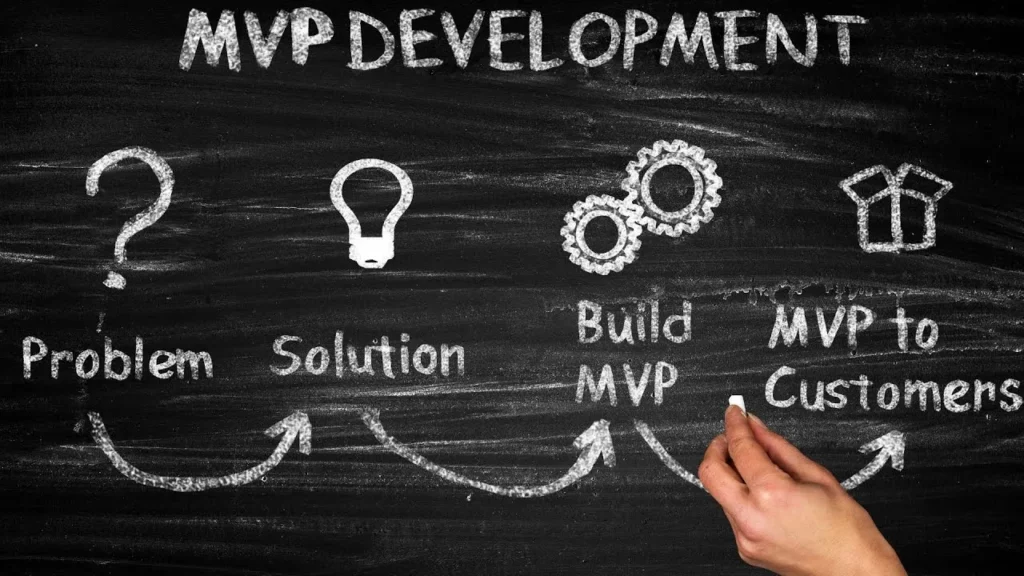
Clarification (general): a prototype is mainly used to quickly validate a need and a route. The “production version” then requires safeguards, standards and a solid architecture.
In practice, the most common returns look like this:
These signals often indicate that the prototype is useful for the demo, but lacks robustness for real use.
Important point: taking over a project does not necessarily mean “taking over your code”. Rather, the approach described in the video consists of :
The advantage is that the prototype allows you to understand very quickly what you want to put in place, and facilitates the production of a specifications and a quote within short deadlines.
According to the video, many AI-generated applications today are “not at all secure” by default. One of the reasons given for this is that AI relies on knowledge found online, which can be a mixture of :
The aim of a “pro” takeover is to have a senior team capable of :
Clarification (general): “securing” involves more than just adding a password. It often involves access rules, proper data management and protection against errors and unintended use.
When you use AI to code, you can get stuck on specific functions. The example given is very concrete: a drag & drop where you want to move a tile to another column, but it doesn't work despite several attempts.
In a recovery, the aim is to :
Another lever for making the application more effective: interconnect rather than redeveloping everything.
Example cited: if your application needs to manage invoicing and you are already using Odoo, it may be more appropriate to :
The video also mentions the possibility of integrating OpenAI, which is presented as “the equivalent of ChatGPT”, to add AI functionality to the application.
An application can be visually “beautiful” but still be difficult to use. The problem described :
The approach: an in-house designer challenges the application to ensure that :
Lighting (general): UX often involves reducing the cognitive load (fewer options visible at the same time, clear hierarchy) and guiding the user towards their goal.
The video distinguishes between two types of customer who commission an AI project.
Here, the takeover aims to provide technical professionalism as well as a business framework. Points mentioned:
In this case, the person prototyped an interface using AI because no tool on the market met the need. Reworking allows you to :
If you already have a prototype developed with AI and you want to make it reliable, secure and launchable, you can :
One exchange, a thousand possibilities.
Describe your vision to us using this form: we'll analyse your request and get back to you within 24 hours with personalised advice and a concrete action plan.
We have the team and the resources to help you with your projects. Give us the details in this form and we'll get back to you as soon as possible to discuss them together.
Start with your prototype to identify what needs to be corrected, secured and completed, then define your needs to obtain a specification and an estimate. To move forward quickly, take Appointment with a professional AI application expert
Starting from the prototype is often more effective if the AI code is unstable or contains bad practices. The idea is to keep what the prototype proves (the need, the flow) and to rebuild cleanly what needs to be rebuilt.
Check that it covers security, code quality, UX/UI and integration with your existing tools. If you want a quick diagnosis, contact our consultant for the redesign of an AI application
It depends above all on the state of the prototype, the functionalities to be added and the necessary integrations (e.g. Odoo, OpenAI). An exchange of views will generally clarify the scope of the project very quickly and allow us to make the necessary adjustments.’obtain a quote for the takeover of an IA project
Yes, by starting again from the prototype to correct bugs, improve security and enhance the UX, without necessarily keeping the existing code. To initiate a rework, send the elements via the contact form for AI takeover projects.